Opportunity radar
Refresh and filter current calls by sponsor, department, deadline, award size, priority, tags, and other criteria.
TIGER Funding Radar brings current funding opportunities, faculty evidence, NSF/NIH awards, LSU SPA analysis, historical funded-project discovery, and built-in on-device AI for research-idea matching into one focused local workspace.
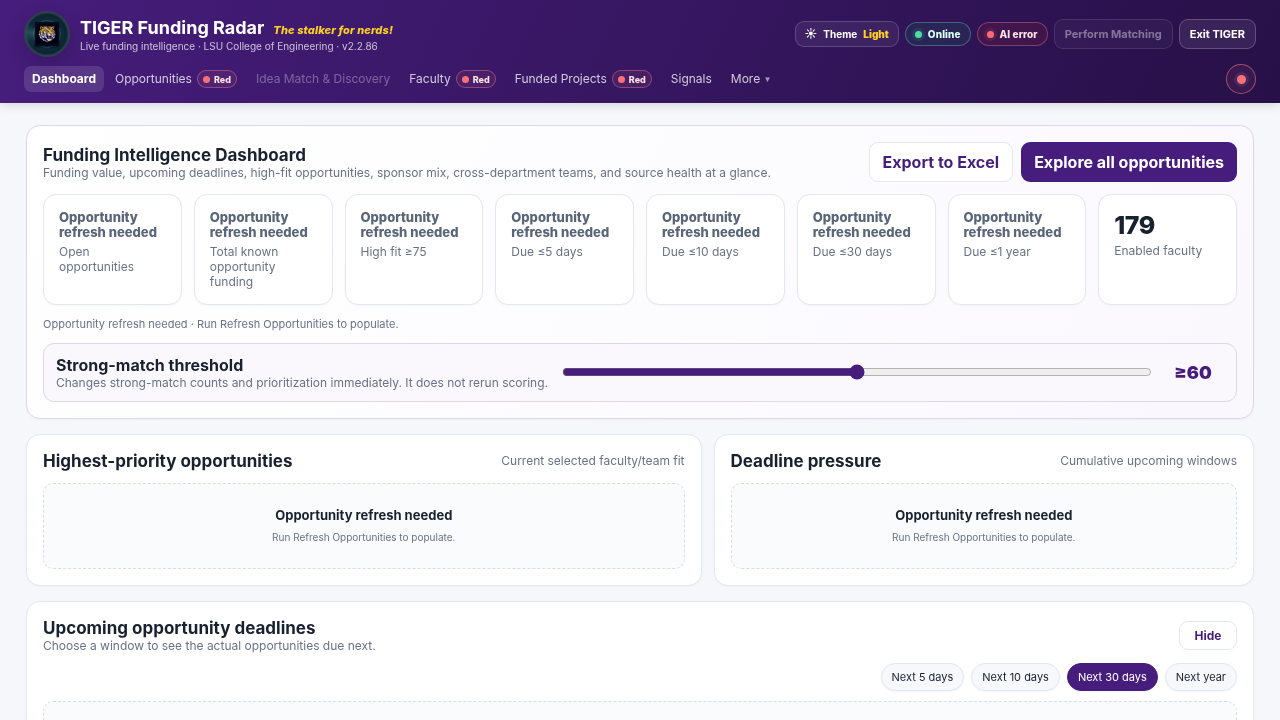

A guided walkthrough of the real v2.2.86 interface, including readiness states, opportunity workflows, sponsor awards, SPA analysis, Idea Match, Discovery, and matching.
TIGER is designed around the real decisions research leaders and faculty make when identifying calls, understanding historical funding, and building credible teams.
Refresh and filter current calls by sponsor, department, deadline, award size, priority, tags, and other criteria.
Start with an empty local roster, import faculty/researchers from the TIGER Excel template or add them manually, then update scholarly evidence through sources such as OpenAlex and Crossref.
Download the blank faculty template →Analyze sponsor-side funded-project history separately from institutional SPA accounting and compare institutions, colleges, or departments.
Import an authorized SPA workbook locally, validate it, compare colleges and units, and inspect fiscal-year, sponsor, and credited-funding patterns.
Use TIGER's built-in neural MiniLM model to compare an abstract or research concept against current opportunities, then explore a local historical NSF/NIH discovery index.
Combine scientific evidence with bounded historical-funding signals, de-duplicate award evidence, and identify Best Fit and Novel Bridge teams.
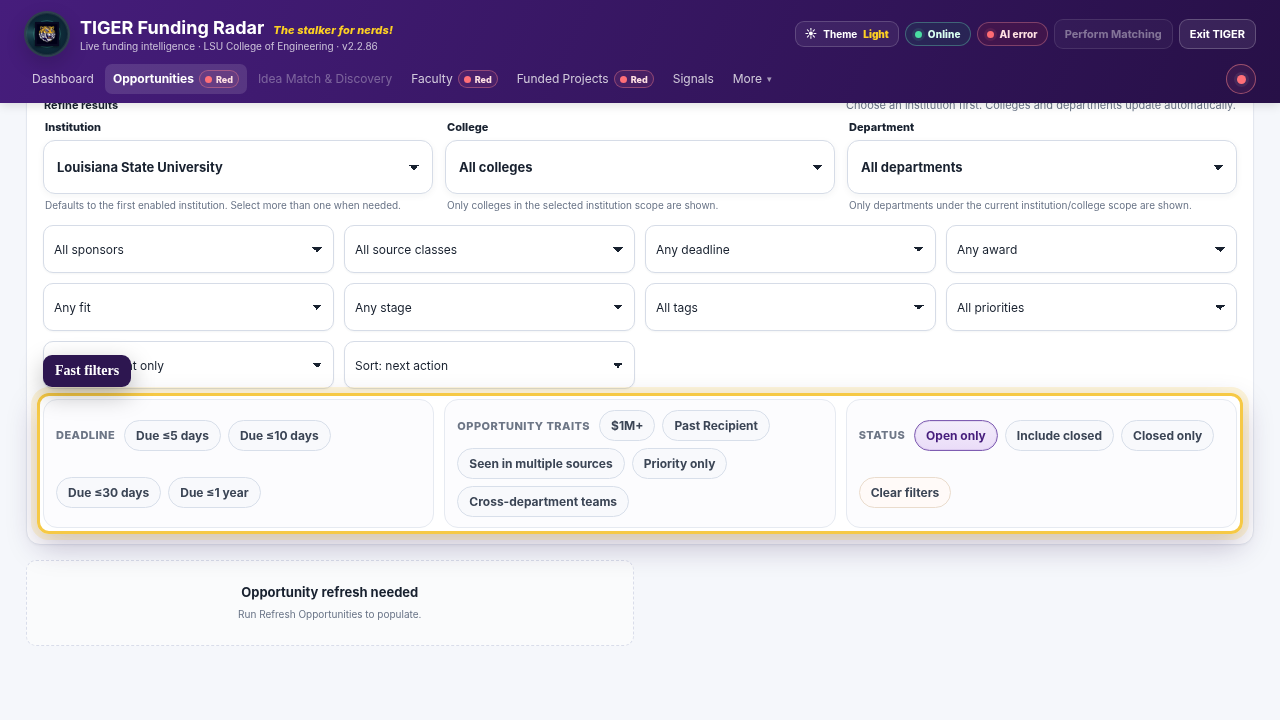
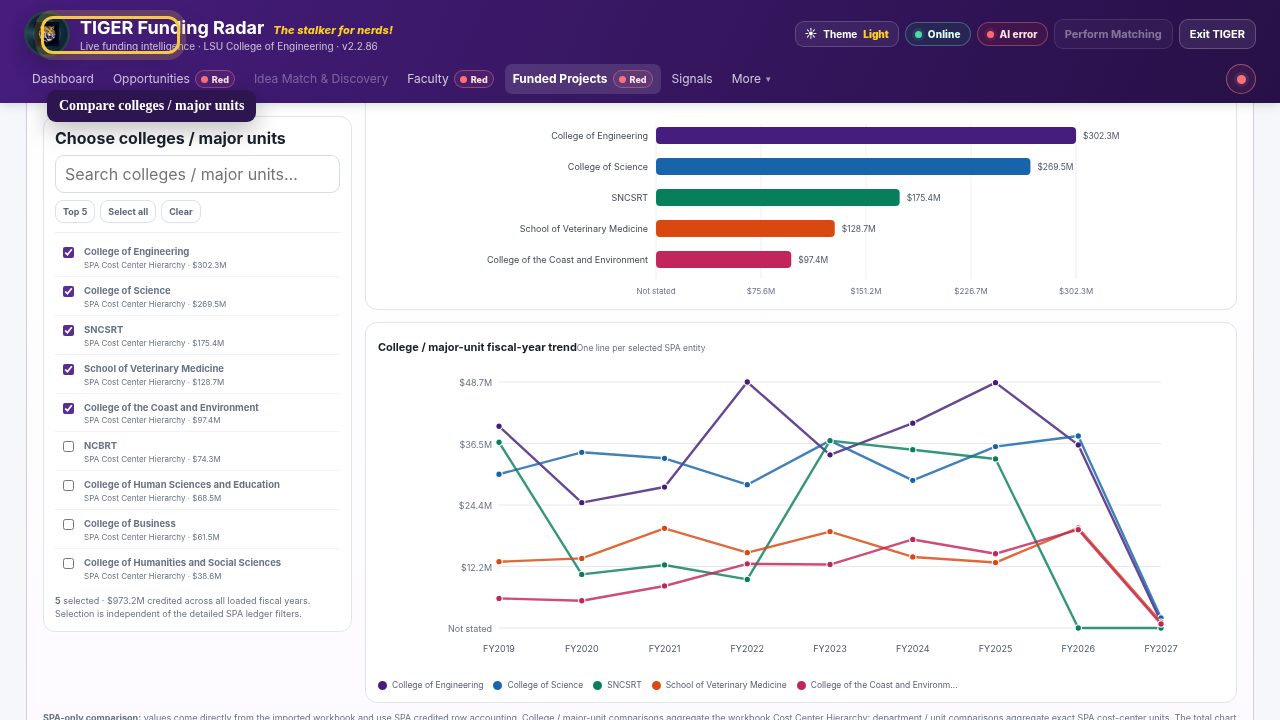
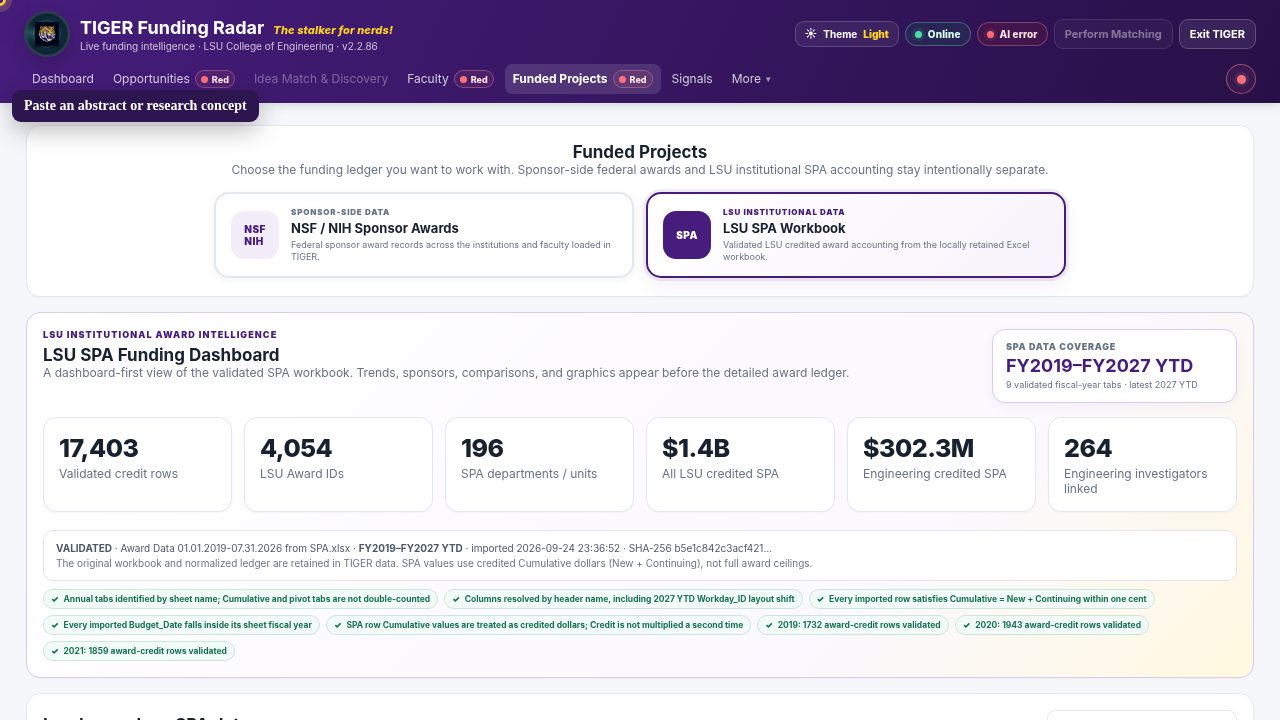
Idea Match uses TIGER MiniLM-L6-v2 INT8, a compact neural embedding model that runs locally in the browser inside the TIGER desktop app. After a one-time model setup, TIGER can reuse the local model without an AI API key.
TIGER separates data preparation from matching so you can see exactly what is ready before generating results.
Bring current calls into the local opportunity workspace.
Maintain the roster and update scholarly evidence.
Update sponsor-side funded-project history.
Optionally import an authorized LSU SPA workbook.
Run when the required readiness states are satisfied.
Review opportunities, teams, comparisons, and ideas.
Version 2.2.86 is free to use under the TIGER Free Use License below. Clean installs start with no faculty preloaded. The packages contain no source code and no LSU SPA Excel workbook.
Download any combination of the four platform packages above. Each package includes the latest user manual and a blank faculty-import template.
cfe707e2df74c22f39971ce55f976d72fec1560d64c6b23fb468886e78b1d48efd73b5f4e349a9e93ea5d1c324d03b41f24ebd53ca53d47bda6cd81a533563131e1cef6cb59cee2e993bb4a203a12210468496e00a1a0543639a0c29803b967c93c8bc7fe0258774a70bb781251e52deaec8c097fc673f27d560aaac86c7faa3TIGER can use OpenAlex to strengthen faculty identity validation and scholarly evidence. OpenAlex says creating an account is free, the API key is available from your account settings, and the free tier currently includes daily API usage without requiring a payment method.
OpenAlex gives TIGER another evidence source for publication history, topics, and researcher identity. It complements Crossref; it does not replace your local faculty roster.
Installation, first-run setup, opportunities, faculty evidence, NSF/NIH awards, SPA import and accounting, comparisons, Idea Match, Discovery, matching, source health, privacy, and troubleshooting.
The current manual is included with every platform package and is also available separately here.
Download the manualThe most common setup, privacy, readiness, and workflow questions are also included in the updated user manual.
TIGER uses its built-in TIGER MiniLM-L6-v2 INT8 neural model. It runs locally in the browser inside the desktop app, creates multi-view semantic representations of the idea and the open opportunity catalog, and combines that signal with TIGER's explicit scientific, program-intent, domain, and funding-mechanism checks. The built-in mode requires no AI API key; after the one-time model setup, the local model is reused. The pasted abstract is not sent to an AI provider in this mode.
Only if you want to use OpenAlex evidence. Create a free OpenAlex account, copy the key from OpenAlex API settings, and save it in the Faculty tab. Crossref can be used independently.
No. A clean v2.2.86 installation starts with zero faculty preloaded. The LSU hierarchy remains available as a starting structure, but faculty and researchers are added only by Excel import or manual entry. Existing user data is preserved when you continue using the same TIGER data folder.
The fastest workflow is to download the TIGER faculty Excel template, give that workbook to an AI chatbot, provide the official webpage that lists the faculty for your institution, college, department, or research unit, and ask the chatbot to fill the template from that page while preserving TIGER's column headers. Review the completed spreadsheet carefully for names, hierarchy, titles, emails, profile URLs, research expertise, and Include in Matching values, then import it in TIGER's Faculty tab. The AI chatbot is a convenient data-entry aid; you should validate the roster before import.
After a usable scholarly-evidence refresh completes for the loaded roster. Having names in the roster alone is not enough; the scholarly-evidence prerequisite must be established.
When Opportunities, Faculty Verification, and Funded Projects are all usable and TIGER detects that matching is due because relevant data changed since the last run.
No. Evidence Fit is an evidence-alignment score, not a probability of award. It explains alignment based on the evidence TIGER has loaded.
No. Public distributions intentionally include no SPA Excel workbook. Authorized users import their institutional workbook manually.
The built-in local MiniLM workflow is designed to keep the full idea on your machine. Review any optional external configuration before entering confidential or restricted information.
TIGER uses a portable data directory beside the executable or application bundle. Back up that directory if you need to preserve imports, local state, keys, and matching history.
Yes. TIGER is intended for both faculty and research-development or research-administration teams that need a transparent workflow for opportunities, evidence, historical awards, institutional comparisons, and team discovery.

Division Chair & Roger Richardson Professor, Computer Science & Engineering, Louisiana State University.
Finding the right funding opportunity is one of the most important parts of academic research, but it is also a surprisingly difficult problem. Faculty may have strong ideas and strong teams, yet the funding landscape is fragmented across sponsors, solicitations, deadlines, historical awards, institutional data, and scholarly profiles.
As an academic administrator, I found this challenge repeating itself for both faculty and the research offices trying to support them. I created TIGER Funding Radar to make that process more transparent, evidence-based, and usable: help faculty locate opportunities that fit their work, understand why they fit, discover potential collaborators, and give research offices a clearer view of the funding landscape.
TIGER reflects the way I think research development should work: combine good data, local context, explainable evidence, and tools that make people faster without hiding the reasoning.
TIGER is distributed as a local desktop application. The policies below explain the software’s privacy model and the rights granted for free use.
TIGER is designed to run locally. Application state is stored beside the executable, and local views and matching remain available without sending your local application state to a central TIGER service.
Version 2.2.86 is provided free of charge for personal, educational, academic, research, government, and internal organizational use, subject to the license terms.